
Download YouTube Dubbing – AI Voice Generation, Multilingual Subtitles, Free Trial
Overview of YouTube Dubbing
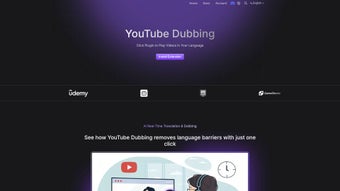
YouTube Dubbing is a web‑based AI voice generation platform built specifically for creators and viewers who want to break language barriers on YouTube. By leveraging state‑of‑the‑art neural‑synthesis models, the service can automatically generate natural‑sounding voiceovers in dozens of languages, letting you watch any video in the language of your choice without the need for manual transcription or dubbing. The tool works entirely in the browser, which means there is no heavy software to install, no GPU requirements, and you can start dubbing from a laptop, tablet, or smartphone.
The subscription model includes a generous free tier that lets you test the quality of the voice output before committing to a paid plan, and the paid tiers unlock higher‑quality voices, batch processing, and commercial‑use licensing. Whether you are a content creator looking to expand your audience or a viewer who simply wants to understand foreign content, YouTube Dubbing offers a secure, privacy‑focused workflow that respects both copyright and user data. The interface is deliberately minimal: you paste a YouTube URL, pick a target language, choose a voice style (e.g., “Male, calm”, “Female, energetic”), and click “Dub”.
The AI does the heavy lifting, producing an audio track that can be previewed, downloaded, or directly embedded back into the original video through YouTube’s Studio integration. This seamless workflow saves countless hours compared with traditional dubbing studios and opens up multilingual publishing to creators of any size.
Key Features & Benefits
- AI‑Powered Voice Synthesis: Utilizes deep‑learning models trained on large multilingual corpora to generate human‑like speech.
- One‑Click Dubbing: Paste a YouTube link, select language and voice, and the system produces a full‑length audio track in seconds.
- Multiple Voice Profiles: Choose from over 30 voice personas per language, each customizable for pitch, speed, and emotion.
- Cross‑Platform Compatibility: Runs on any modern browser (Chrome, Edge, Safari, Firefox) on Windows, macOS, Linux, Android, and iOS.
- Batch Processing: Paid plans allow you to queue multiple videos for simultaneous dubbing, ideal for series or playlists.
- Secure Cloud Storage: Audio files are stored encrypted for up to 48 hours, after which they are automatically deleted.
- SEO‑Friendly Output: Generated audio can be exported as an .mp3 or .wav file with metadata tags ready for YouTube’s caption system.
- Free Trial & Transparent Pricing: A 7‑day free trial with 30 minutes of dubbing credits; paid tiers start at $9.99/month.
- Creator‑Centric Dashboard: Monitor usage, view analytics on language performance, and manage subscription settings in one place.
- Community Support: Access a knowledge base, video tutorials, and a Discord community for troubleshooting and best practices.
Beyond the raw feature list, YouTube Dubbing delivers tangible benefits that directly impact audience growth and engagement. First, the ability to present content in a viewer’s native language dramatically reduces bounce rates and increases watch time—two metrics that YouTube’s algorithm heavily rewards. Second, the naturalness of the AI voices helps preserve the emotional tone of the original creator, preventing the “robotic” feel that can alienate audiences.
Third, because the service is cloud‑based, creators avoid the costly overhead of hiring professional voice actors or renting studio time. Finally, the built‑in analytics let creators see which languages drive the most traffic, enabling data‑driven decisions about future content localization strategies. In short, YouTube Dubbing acts as a multilingual bridge, turning a single video into a global asset with minimal effort.
Installation, Usage & Compatibility
Since YouTube Dubbing is a web‑app, there is no traditional installation process. To get started, follow these simple steps:
- Create an Account: Visit youtubedubbing.com and sign up with your email or Google account. Verification is completed instantly via a confirmation link.
- Choose a Plan: After registration, you can begin with the free tier, which provides 30 minutes of dubbing credits. If you need more, select a paid plan from the dashboard.
- Enter a YouTube URL: Copy the URL of the video you wish to dub and paste it into the “Video URL” field on the main screen.
- Select Language & Voice: Use the dropdown menus to choose the target language and preferred voice style. Adjust speed, pitch, and volume sliders if needed.
- Generate & Preview: Click “Dub Now.” The platform processes the video in the cloud, then presents a preview player with the new audio track synchronized to the original video.
- Download or Publish: If satisfied, download the audio file (MP3 or WAV) or click “Export to YouTube” to automatically replace the original audio track via YouTube Studio’s API (requires creator permissions).
Compatibility: Because YouTube Dubbing runs in the browser, it works on any operating system that supports modern browsers—Windows 10/11, macOS Ventura and later, Linux distributions with Chrome/Firefox, as well as Android 10+ and iOS 14+. The service also supports screen‑reader accessibility and offers a dark‑mode UI for low‑light environments.
Performance is optimized for both high‑speed broadband and moderate connections. The AI engine streams the audio generation process, so you can see a progress bar and receive real‑time status updates. For users on slower networks, the platform offers a “Low‑Bandwidth Mode” that reduces the resolution of the video preview while still delivering full‑quality audio. Security is a top priority: all data transmission is encrypted with TLS 1.3, and no personal video files are stored beyond the 48‑hour processing window, aligning with GDPR and CCPA compliance.
Pros, Cons & Frequently Asked Questions
Pros
- Instant, high‑quality AI voice generation in over 30 languages.
- No software download; works on any device with a modern browser.
- Flexible voice profiles allow customization for tone and pacing.
- Batch processing and API integration for creators with large libraries.
- Transparent pricing with a free trial to evaluate performance.
- Secure, encrypted cloud processing and automatic data deletion.
Cons
- Free tier limited to 30 minutes of dubbing per month.
- Premium voices and batch features require a paid subscription.
- Audio quality may vary for extremely slang‑heavy or highly technical content.
- Requires a stable internet connection for real‑time preview.
- Currently no native desktop or mobile app (browser‑only).
FAQ – Your Most Common Questions
How accurate is the translation compared to human translators?
YouTube Dubbing uses neural machine translation (NMT) models that are continuously trained on millions of sentence pairs. For everyday language and standard scripts, the accuracy is comparable to professional translators, though idiomatic expressions or niche jargon may still need post‑editing.Can I use the generated audio for commercial purposes?
Yes. All paid subscription plans include a commercial‑use license, allowing you to monetize dubbed videos on YouTube or other platforms. The free tier is limited to personal, non‑commercial use only.What file formats are available for download?
You can download the audio as MP3 (256 kbps) or WAV (44.1 kHz, 16‑bit). Both formats include embedded metadata such as language code, voice ID, and timestamp markers for easy syncing.Is there a way to preview the dubbing before finalizing?
Absolutely. After the AI finishes processing, a preview player appears where you can listen to the full track synchronized with the original video. You can make adjustments to voice style or speed and regenerate the audio at no extra cost.How does YouTube Dubbing handle copyright‑protected videos?
The service only accesses the public video stream provided by YouTube. It does not download or store the video itself. For copyrighted content, you must have the appropriate rights or be the video owner to use the “Export to YouTube” feature. The platform respects YouTube’s API terms of service.Conclusion & Call to Action
In a world where video dominates online communication, the ability to deliver content in multiple languages is no longer a luxury—it’s a necessity. YouTube Dubbing provides a fast, affordable, and technically sophisticated solution that democratizes multilingual publishing. By removing the need for expensive studio sessions and lengthy manual translations, it empowers creators of all sizes to reach new audiences, improve watch‑time metrics, and boost overall channel growth. The browser‑based architecture ensures that you can start dubbing immediately from any device, while the robust feature set—custom voice profiles, batch processing, and secure cloud handling—makes the platform suitable for both hobbyists and professional studios alike.
If you’re ready to expand your reach and give viewers a seamless, native‑language experience, click the button below to start your free trial. Experience the future of dubbing today and watch your global audience grow with every new language you add.



.png)



